Help centerYour account
Your account, settings and data
Signing in, your settings and emails, backing up your apps, and deleting your account.
Updated 5 November 2026
Signing in
Sign in with Continue with Google, Continue with GitHub, or your email. With email, we send a 6-digit code: type it in and you're in. Signing in and making an account are the same step.
Settings
Open Settings from the sidebar. The General tab has:
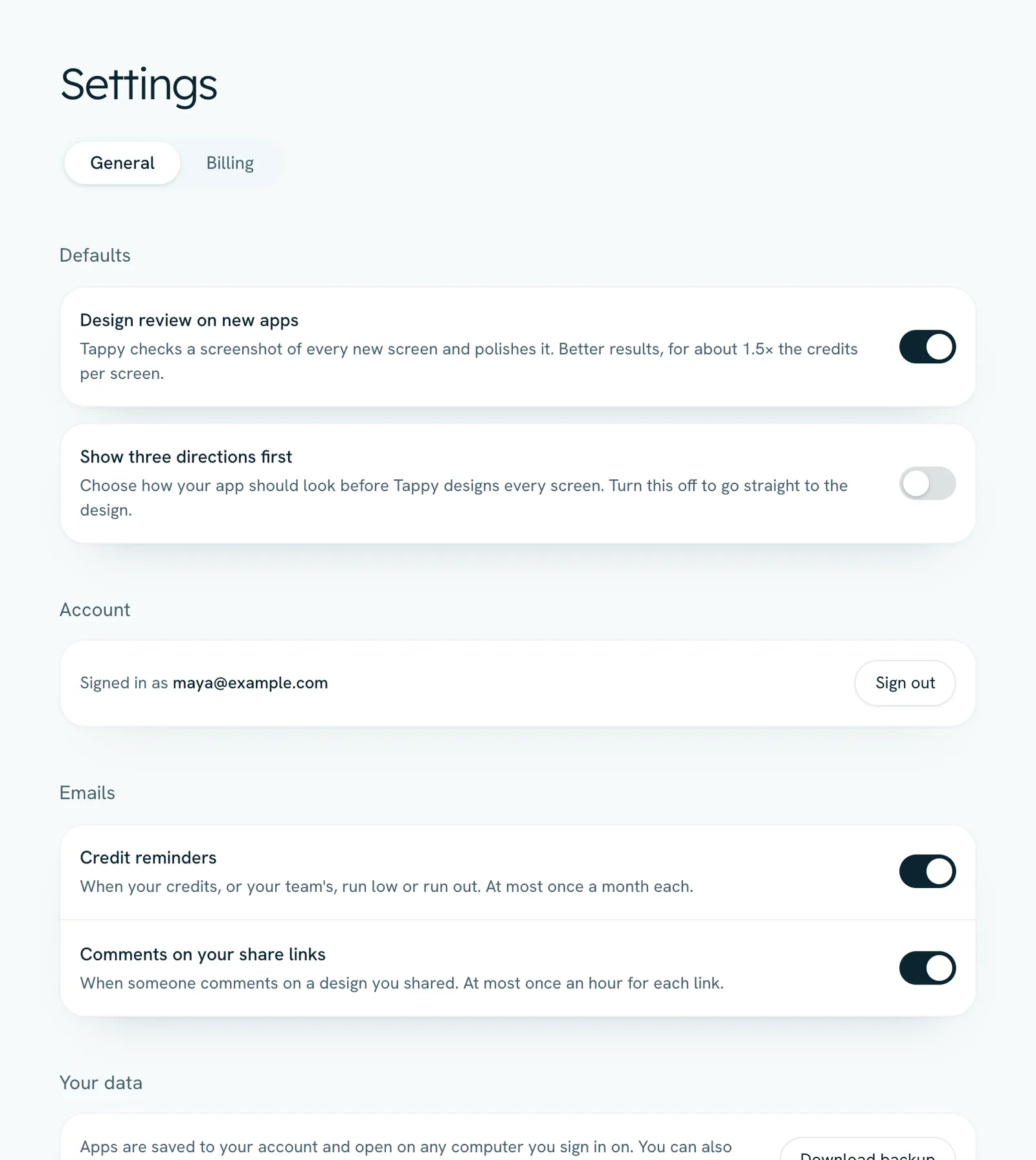
- Defaults: whether new apps get Design review on new apps, and whether to Show three directions first.
- Account: who you're signed in as, and Sign out.
- Emails: turn Credit reminders and Comments on your share links on or off. Sign-in codes, team and billing emails always go out.
- Your data: Download backup saves all your apps as one file.
The Billing tab is covered in Plans, billing and invoices.
Delete your account
Download a backup first
Deleting can't be undone, so press Download backup if you want to keep your apps.
Press Delete account
It's at the bottom of the General tab. Tappy lists what you'll lose, then press Email me a code.
Enter the code
Type the 6-digit code we email you and press Delete my account.
- Your account, apps, share links, comments and photos are removed straight away.
- A plan stops at once, with no refund for the rest of the period. If you paid in the last 14 days, ask about a refund of unused credits before you delete.
- If you own a team with a running plan, cancel that plan first. Your team is deleted with your account, and everyone keeps their own apps.
- Changed your mind before entering the code? Press Keep my account. Questions? Email hello@usetappy.app.
Something not covered here? Use the feedback button in your dashboard, or email hello@usetappy.app.