Help centerEditing
Add screens and try the flow
Add a screen, see where each tap leads, and tap through your app like the real thing.
Updated 5 November 2026
Add a screen
Press Add a screen
It's at the end of the row of phones, in the Screens tab, and in the suggestions on the right.
Say what it's for
Give it a name and describe What happens here? Tick Show the tab bar if it belongs in the app's main tabs.
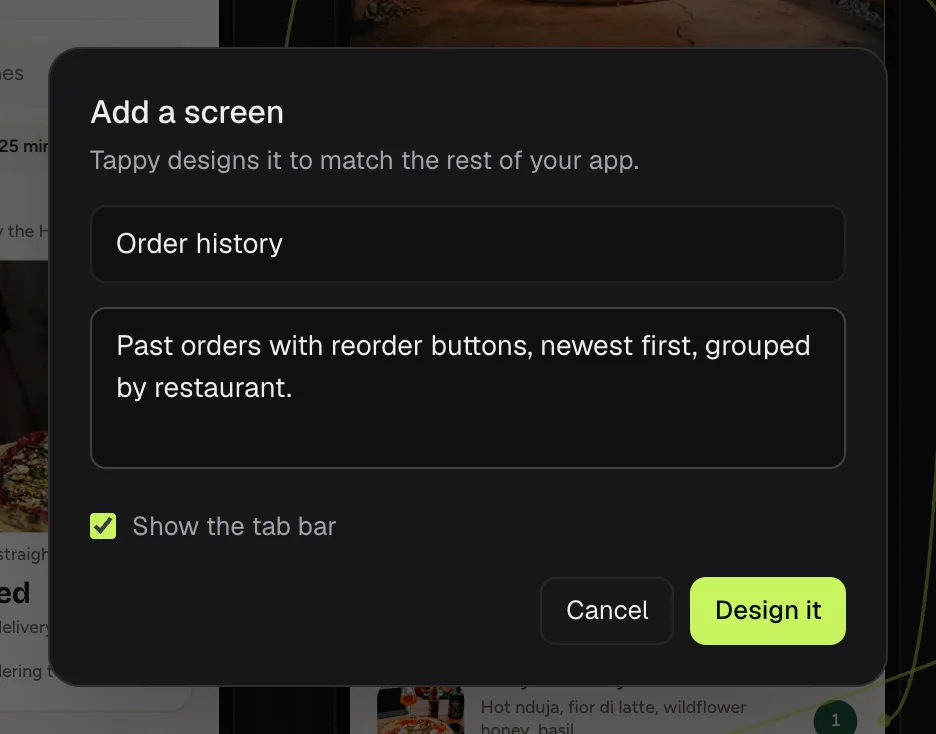
Press Design it
Tappy designs the screen to match the rest. It costs the same as any new screen.
To delete a screen, select it and press the bin icon at the top of the right panel.
See where each tap leads
Press Flow above the canvas. Arrows show which buttons lead to which screens.
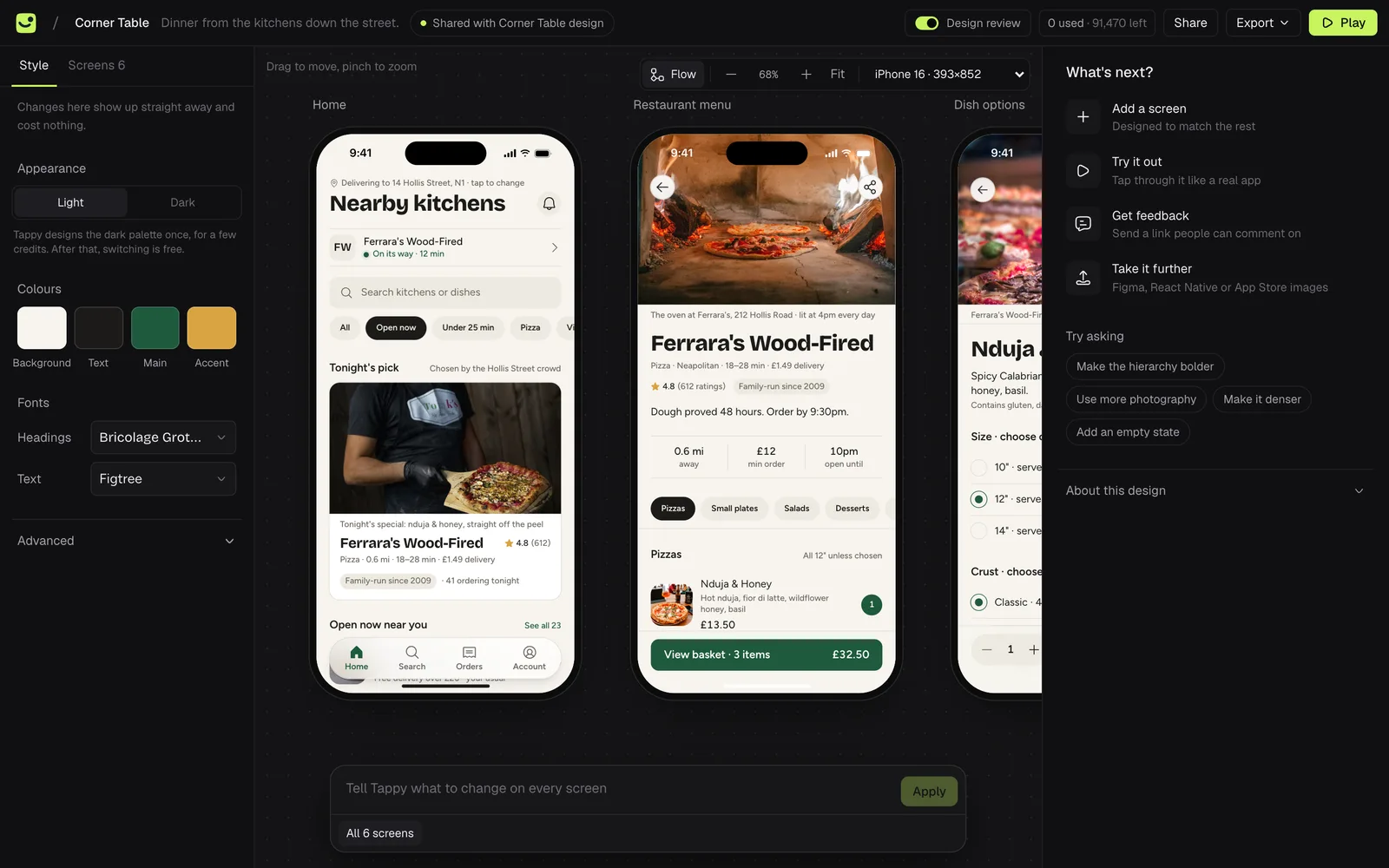
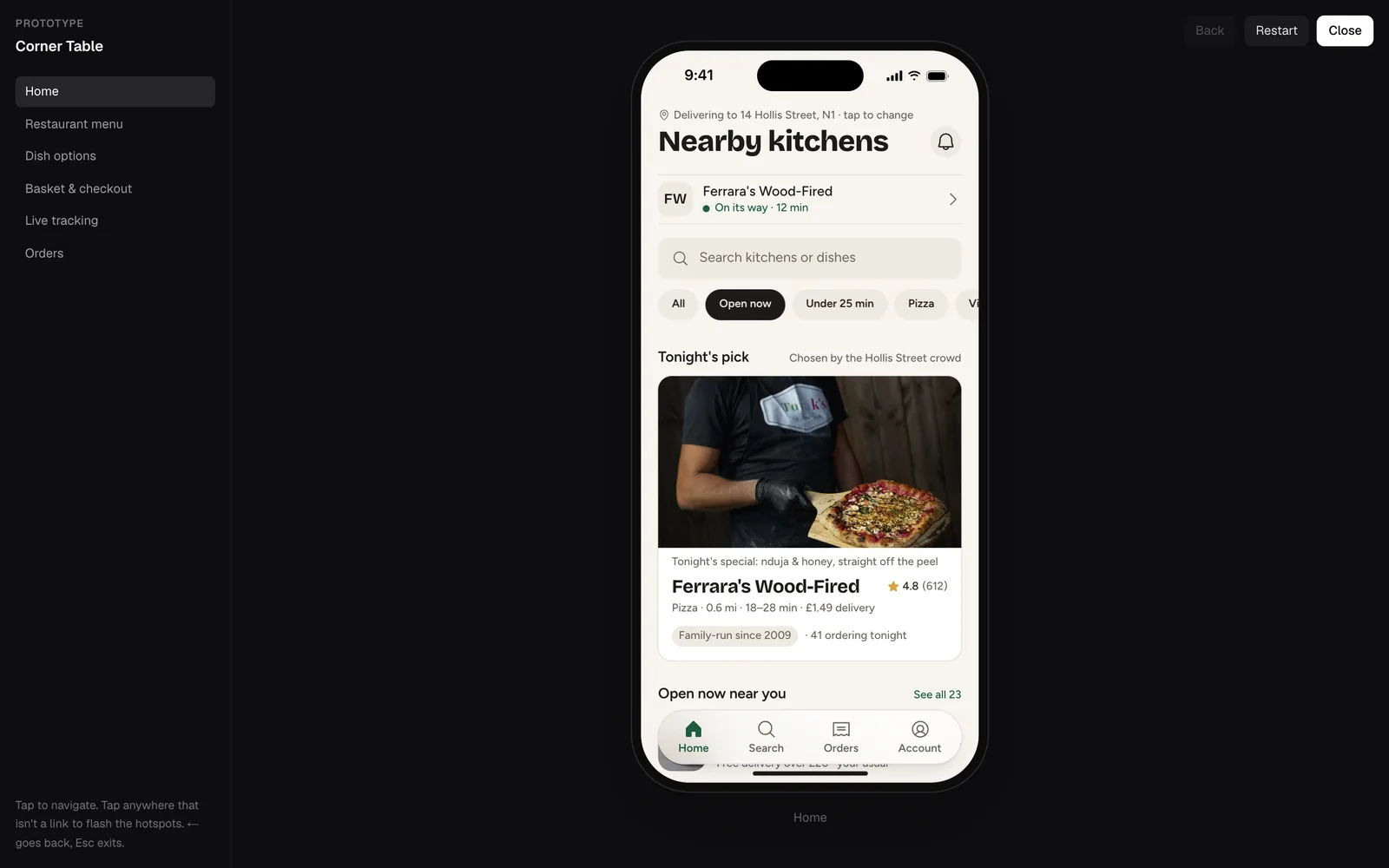
Tap through it
Press Play at the top right. Your app opens full screen, and every button that leads somewhere works. Press Back or ← to go back, Restart to start over and Esc to close.
Something not covered here? Use the feedback button in your dashboard, or email hello@usetappy.app.