Change a screen by describing it
Tell Tappy what to change on one screen, part of a screen, or every screen at once.
Updated 5 November 2026
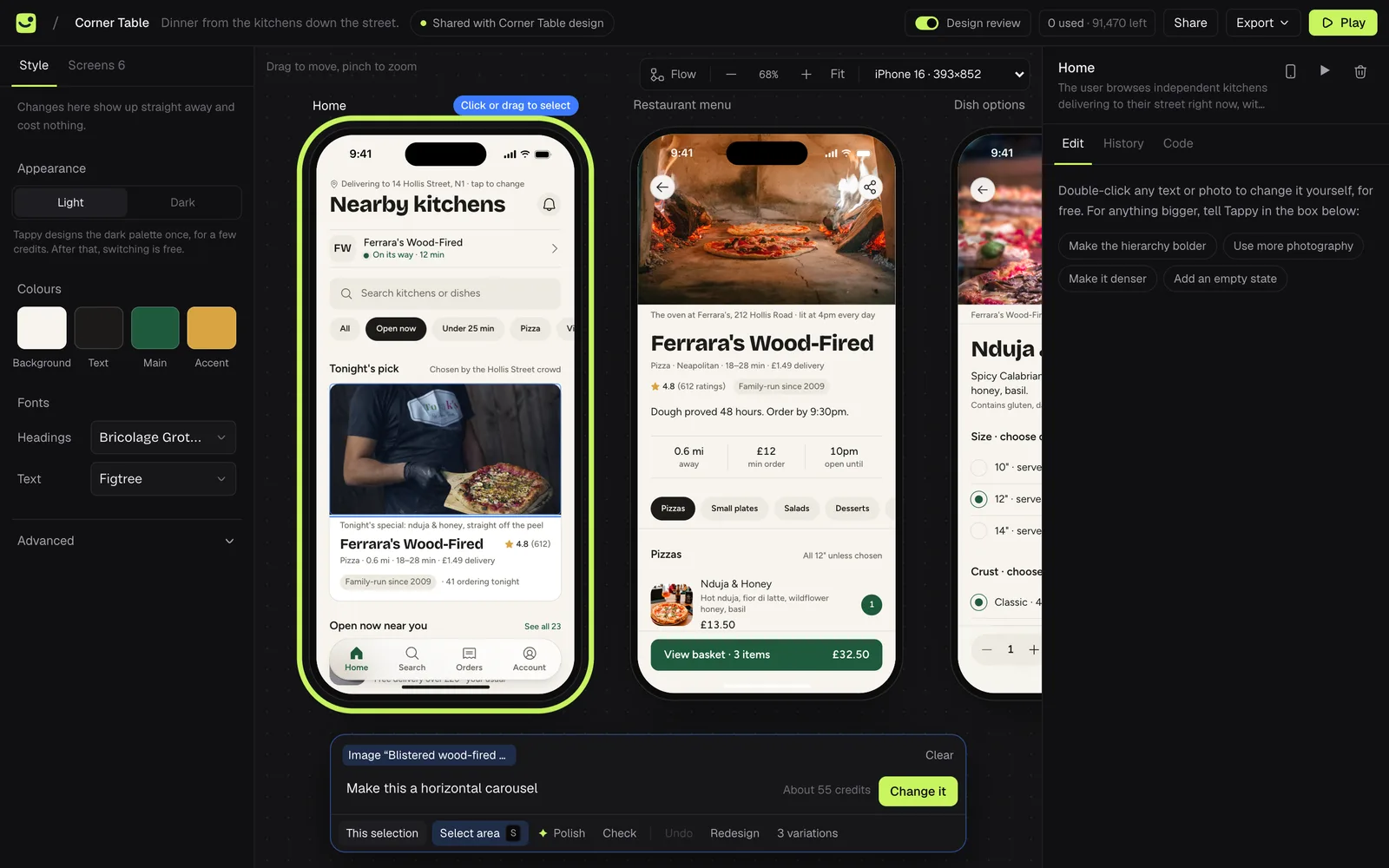
The box at the bottom of the design screen is where you ask for changes, in your own words.
Pick a screen
Click a phone on the canvas. Its name appears at the bottom left of the box.
Describe the change
Type what you want in Tell Tappy what to change, for example "Make the delivery time stand out more on each restaurant card". Before you send it, the box shows about how many credits it will use.

Press Apply
Or press Enter. Tappy redesigns the screen with your change. Press Stop to cancel while it works.
Change just one part
Press Select area (or S), then click something on the screen or drag a box around it. Shift-click to add more. The box then asks What should change here?, and only that part changes. It costs about a quarter of a full screen change.
Change every screen at once
Click the screen's name at the bottom left of the box and switch it to All screens. Your change is made on every finished screen, one after another, and costs about one change per screen.
The tools under the box
- Polish asks Tappy to review the screen and tidy what it finds.
- Check looks for low contrast, small text and small tap targets, for free. Fix with Tappy then fixes what it found.
- Undo goes back to the previous version. It's free.
- Redesign starts the screen again from scratch.
- 3 variations designs three takes on the screen, such as a new layout or a bolder version. Pick one with Use A, Use B or Use C.
Go back to an earlier version
Every change is kept. Open a screen's History tab, click a version to preview it, then press Restore this version. Restoring is free, and the current version stays in the list too.