Share a prototype and collect comments
Send a link anyone can tap through on their phone and comment on, then fix what they find.
Updated 5 November 2026
Press Share
It's at the top of the design screen, once at least one screen is finished. Press Create share link.
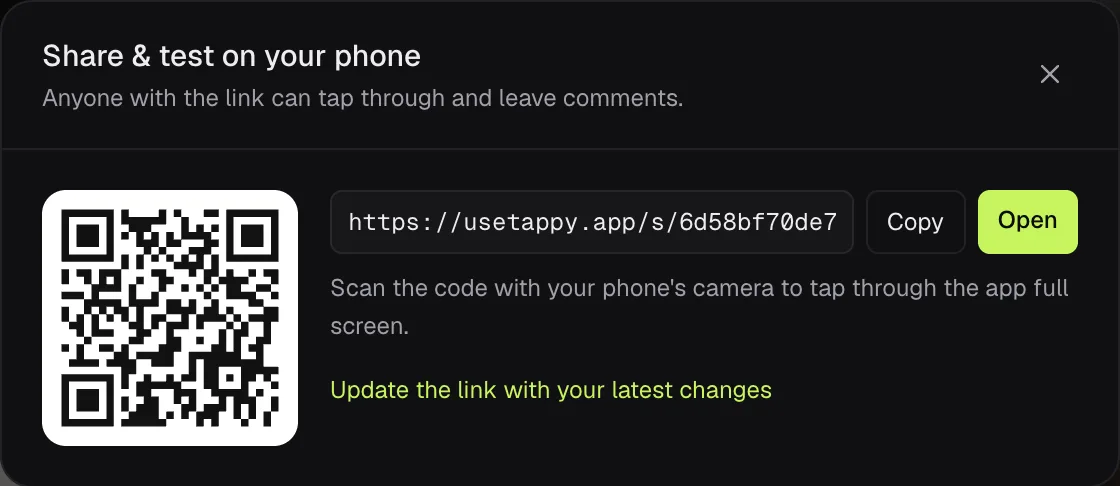
Send the link, or scan the code
You get a link with Copy and Open, and a QR code. Scan it with your phone's camera to tap through the app full screen.
People tap through and comment
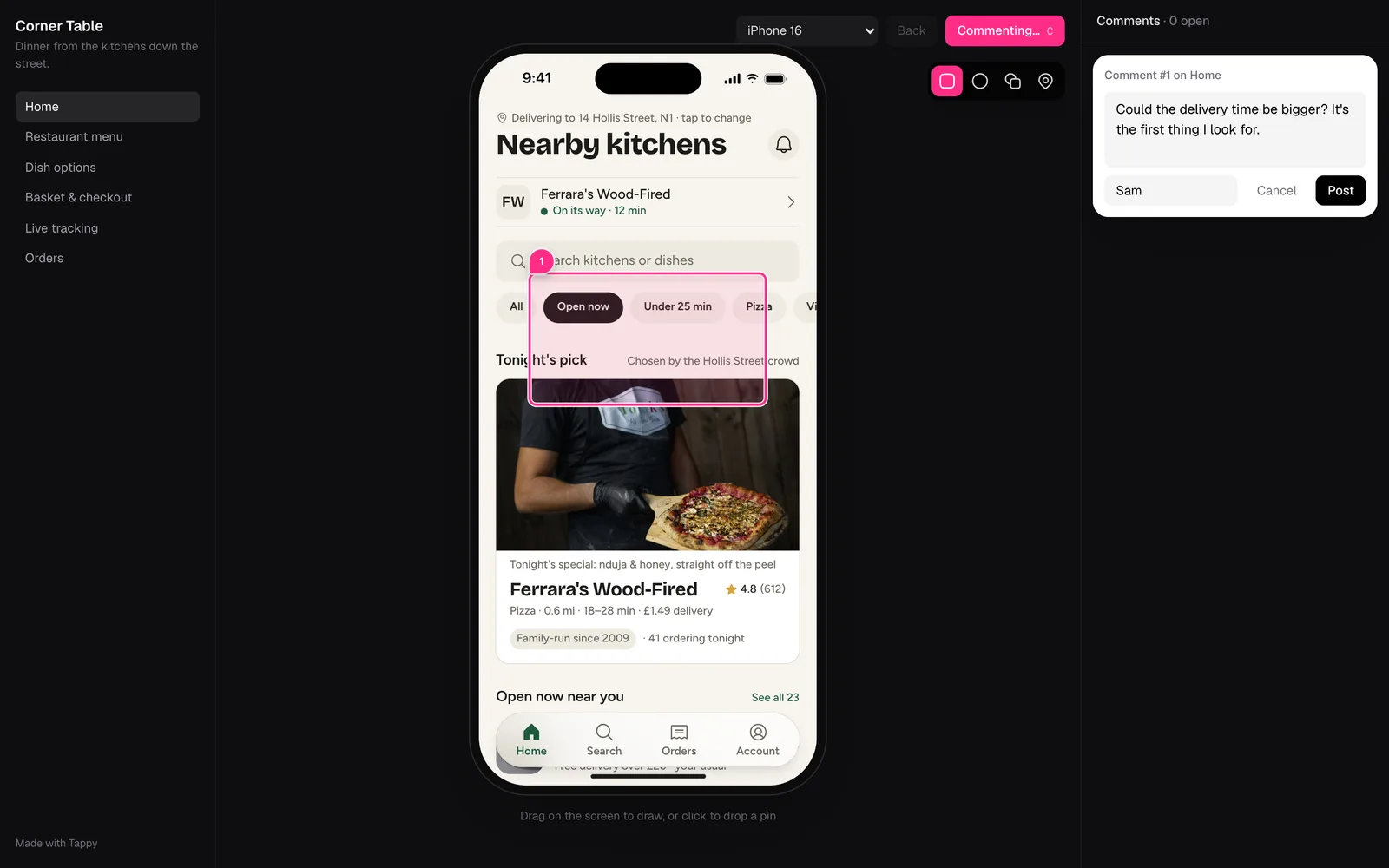
Anyone with the link can use the app. To comment, they press Comment (or C), mark the spot with a box, circle, freehand line or pin, write what should change and press Post. They don't need an account.
Read and fix the comments
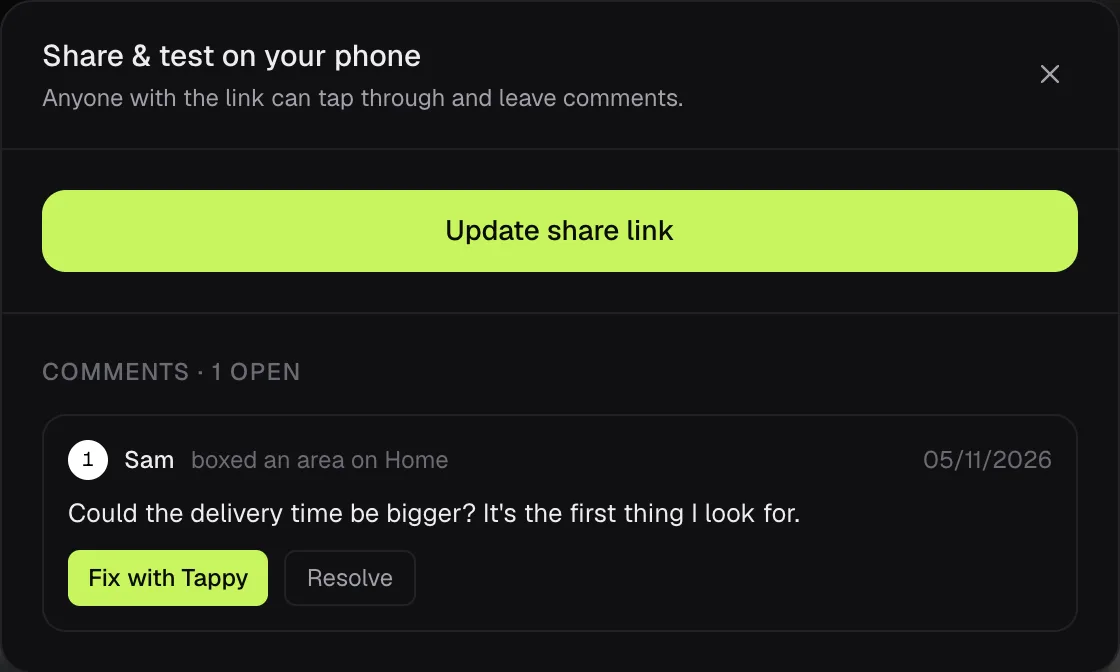
Press Share again to see them. Fix with Tappy selects the marked spot and puts the comment in the change box for you. Resolve clears it, and Reopen brings it back.
Keep the link up to date
A share link shows your app as it was when you shared it. After more changes, open Share and press Update the link with your latest changes. The address stays the same.
All your links in one place
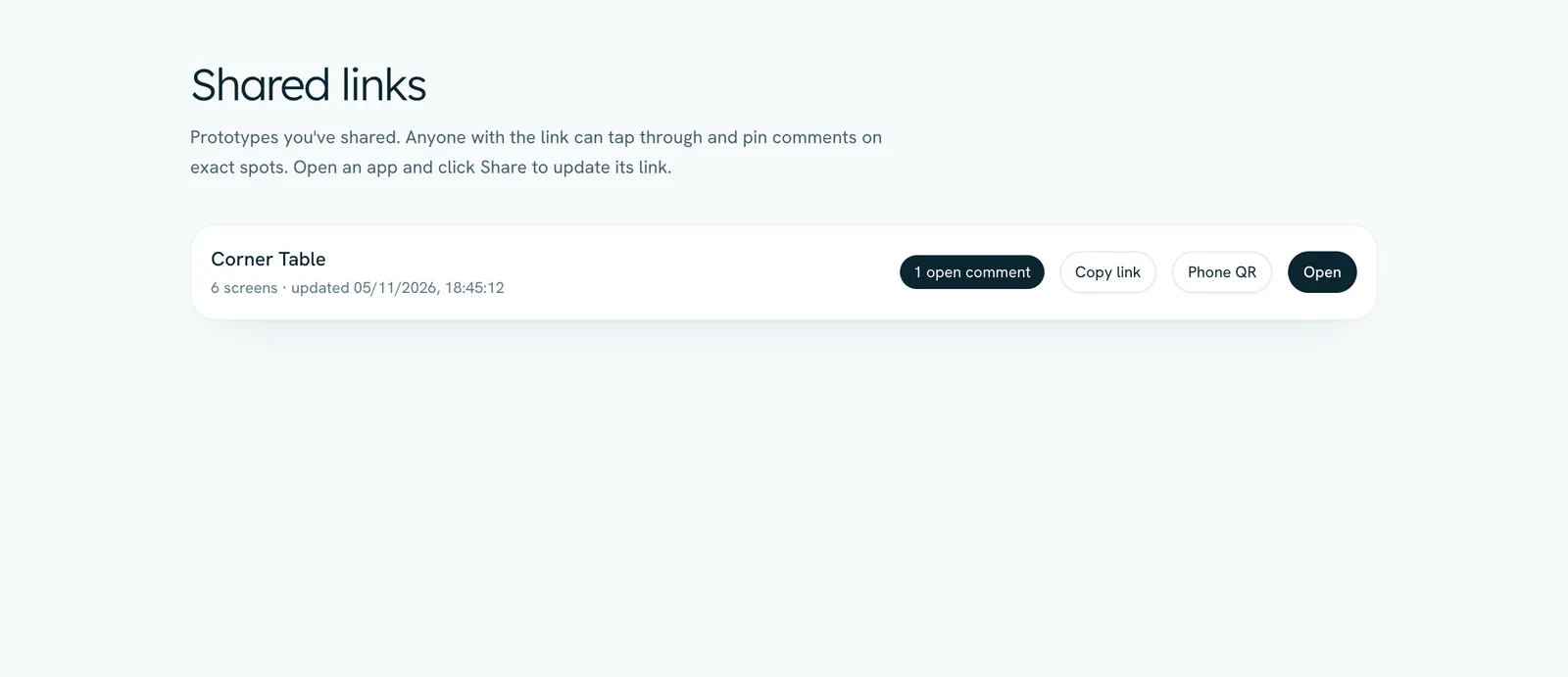
Shared links in the sidebar lists every link you've made, with open comments, Copy link, Phone QR and Open.
We email you when someone comments, at most once an hour for each link. Turn this off under Emails in Settings. To take a link down, email us and we'll remove it.