Design levels and credits
What Quick, Studio, Signature and Atelier do, and how credits are used.
Updated 5 November 2026
Each app is designed at a level. Higher levels spend more time on each screen and cost more credits. Pick the level from the menu in the row under the description box.
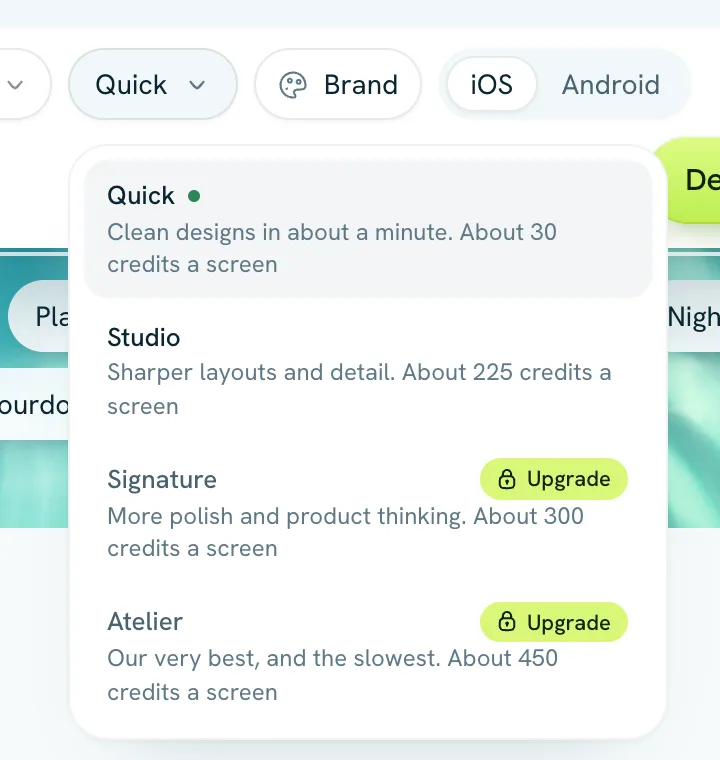
The four levels
- Quick: clean designs in about a minute. About 30 credits a screen.
- Studio: sharper layouts and detail. About 225 credits a screen.
- Signature: more polish and product thinking. About 300 credits a screen.
- Atelier: our very best, and the slowest. About 450 credits a screen.
Signature and Atelier come with any paid plan, or with a credit top-up bought at least once. Free accounts start at Quick, paid plans at Studio, and Tappy remembers the level you last used.
Design review
At Studio and above, Tappy looks at a screenshot of every new screen and fixes what a design lead would flag, like text spilling over, parts out of line or low contrast. At Quick it only does this when its free layout check finds a problem. Review adds roughly half to a screen's cost. You can turn it off for one app with the Design review switch at the top of the design screen, or for new apps in Settings.
How credits are counted
- The numbers above are estimates. You pay what each run really costs, and Tappy shows an estimate before you start anything.
- Planning the app and sketching the three directions also use some credits.
- Changing a whole screen costs a little over half a new screen. Changing a selected part costs about a quarter.
- Double-click edits to text and photos, colour and font changes, undo and version history are free.
- If you run short partway through, Tappy designs what your credits cover. The other screens wait until you add more.
The Usage page shows the credits you've used, day by day, what they went on and which apps used them. Plans, billing and invoices covers buying more.