Design with your team
Share apps and a pool of credits with the people you work with.
Updated 5 November 2026
A team shares its apps and one pool of credits. The Team plan is $89 a person a month, or $890 a year (two months free), with 2 to 50 seats. Every seat adds 25,000 credits to the pool each month.
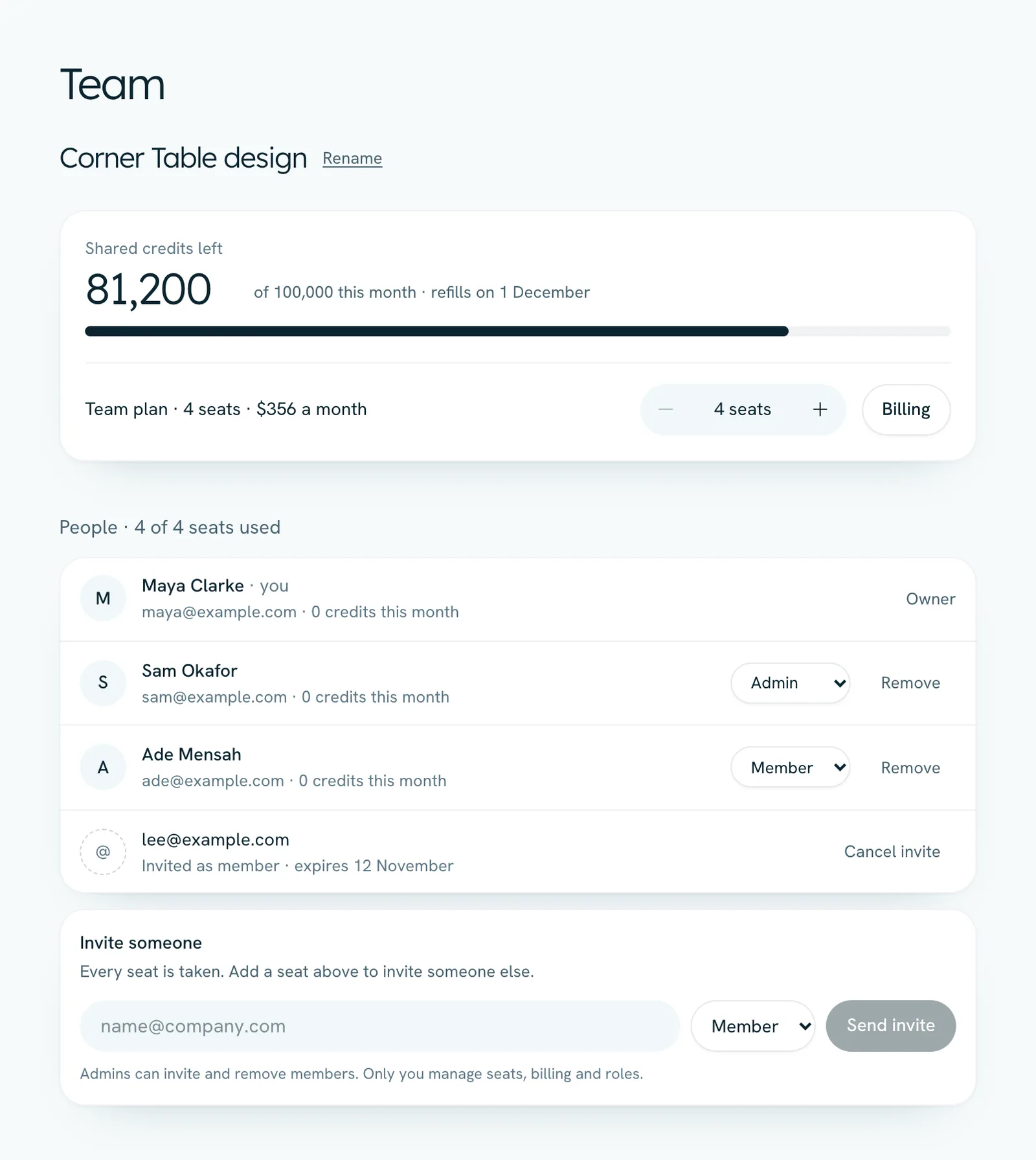
Create the team
Open Team in the sidebar, name the team and press Create team. You can be in one team at a time.
Start the Team plan
Choose how many seats, monthly or yearly, then press Start the Team plan.
Invite people
Type an email under Invite someone and press Send invite. They get an email with a link to join, which lasts 7 days. They must sign in with the email you invited.
Design together
New apps are shared with the team automatically. On the design screen, the pill at the top shows Shared with your team. Click it to make an app Only you.
Who can do what
- Owner: manages seats, billing and roles, can invite admins, and can delete the team.
- Admins: invite and remove members, rename the team and cancel invites.
- Members: design with the team's credits and open the team's apps.
The shared credits
Runs use the team's pool first, then the person's own plan credits, then any credits they bought. The Team page shows what's left this month and how much each person has used.
Seats, leaving and deleting
- The owner changes seats with the stepper on the Team page. Added seats are charged for the rest of the billing period and bring their share of this month's credits. Removed seats come off the next bill.
- Pending invites take a seat, so you can't go below the number of people on the team or invited.
- Admins and members can press Leave team, and the owner or an admin can Remove a member. People keep the apps they made, which stop being shared.
- To delete the team, the owner first cancels the Team plan in Billing. Once it has ended, Delete team appears. Everyone keeps the apps they made.