Templates · Education

Language learning app template

Parla: Learn a language by actually speaking it. 6 screens designed by Tappy, ready to open as your own app and change with a sentence.

Free to open. No card needed.

Every screen

Shown exactly as Tappy designed them. Your copy starts from these.
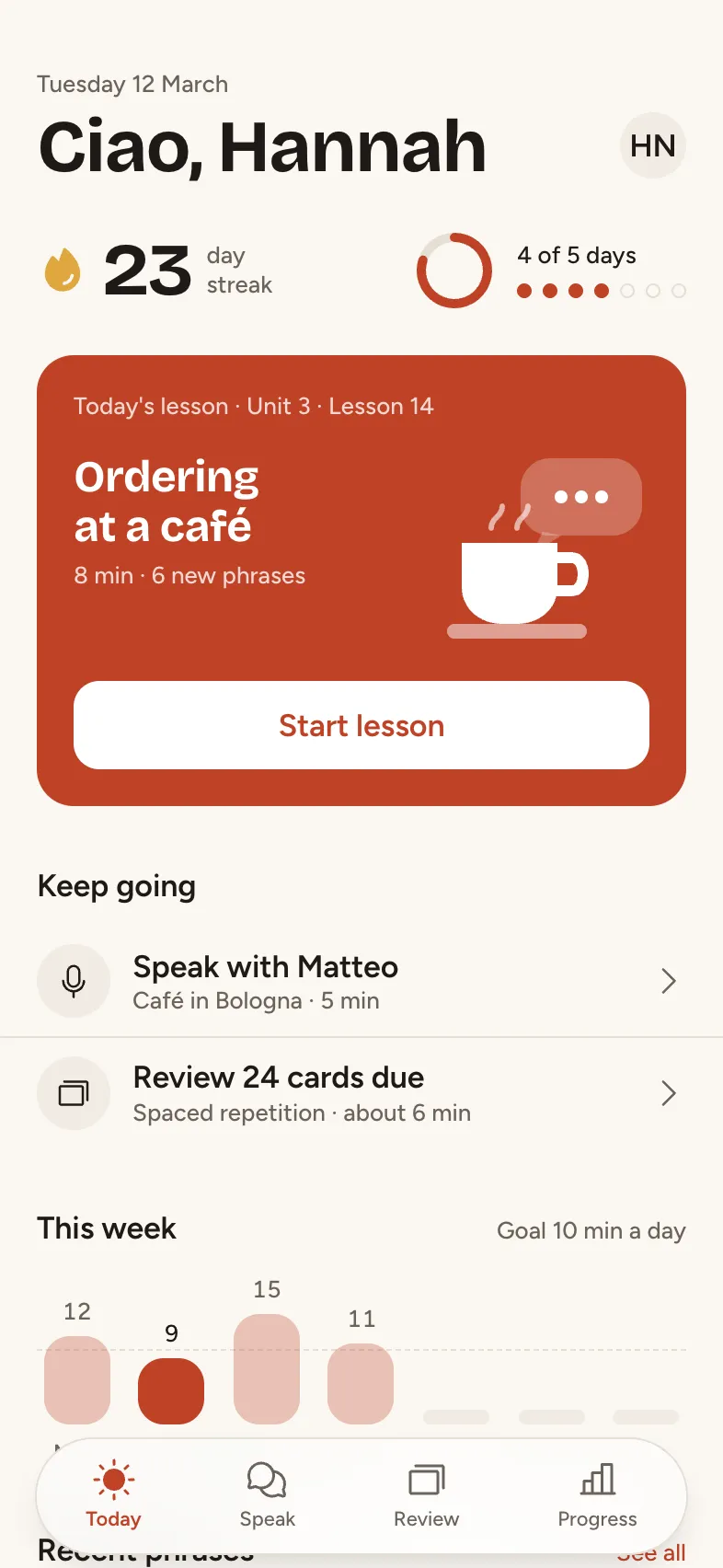
Today: Hannah's daily landing screen: shows her streak and weekly goal, surfaces today's lesson as the one hero card, and offers the quick paths into speaking practice and vocabulary review. Shown mid-week with the day not yet completed.
TodayHannah's daily landing screen: shows her streak and weekly goal, surfaces today's lesson as the one hero card, and offers the quick paths into speaking practice and vocabulary review. Shown mid-week with the day not yet completed.
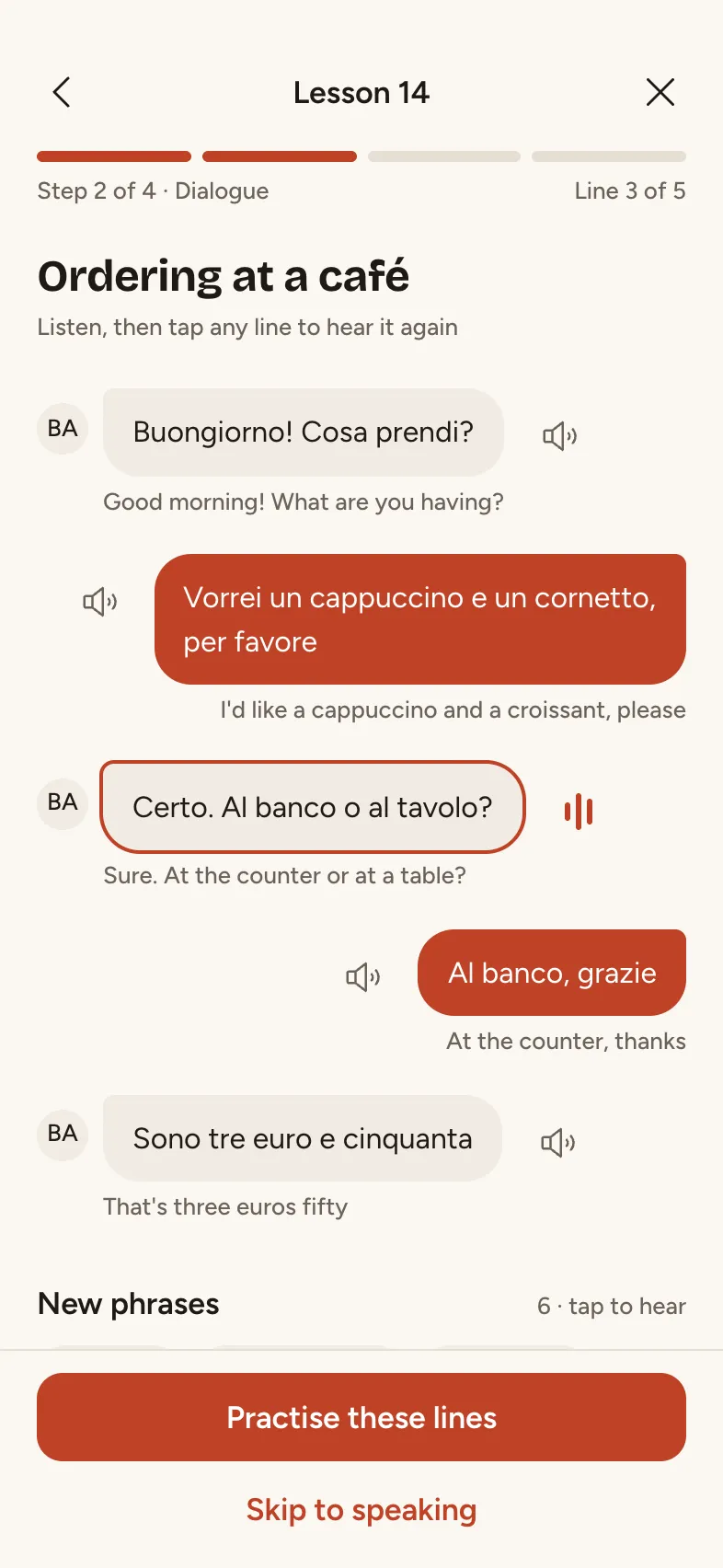
Today's lesson: The lesson 'Ordering at a café': Hannah reads a short dialogue, taps phrases to hear them, and learns six new phrases before practising them in a conversation. Shown at the dialogue step, 2 of 4.
Today's lessonThe lesson 'Ordering at a café': Hannah reads a short dialogue, taps phrases to hear them, and learns six new phrases before practising them in a conversation. Shown at the dialogue step, 2 of 4.
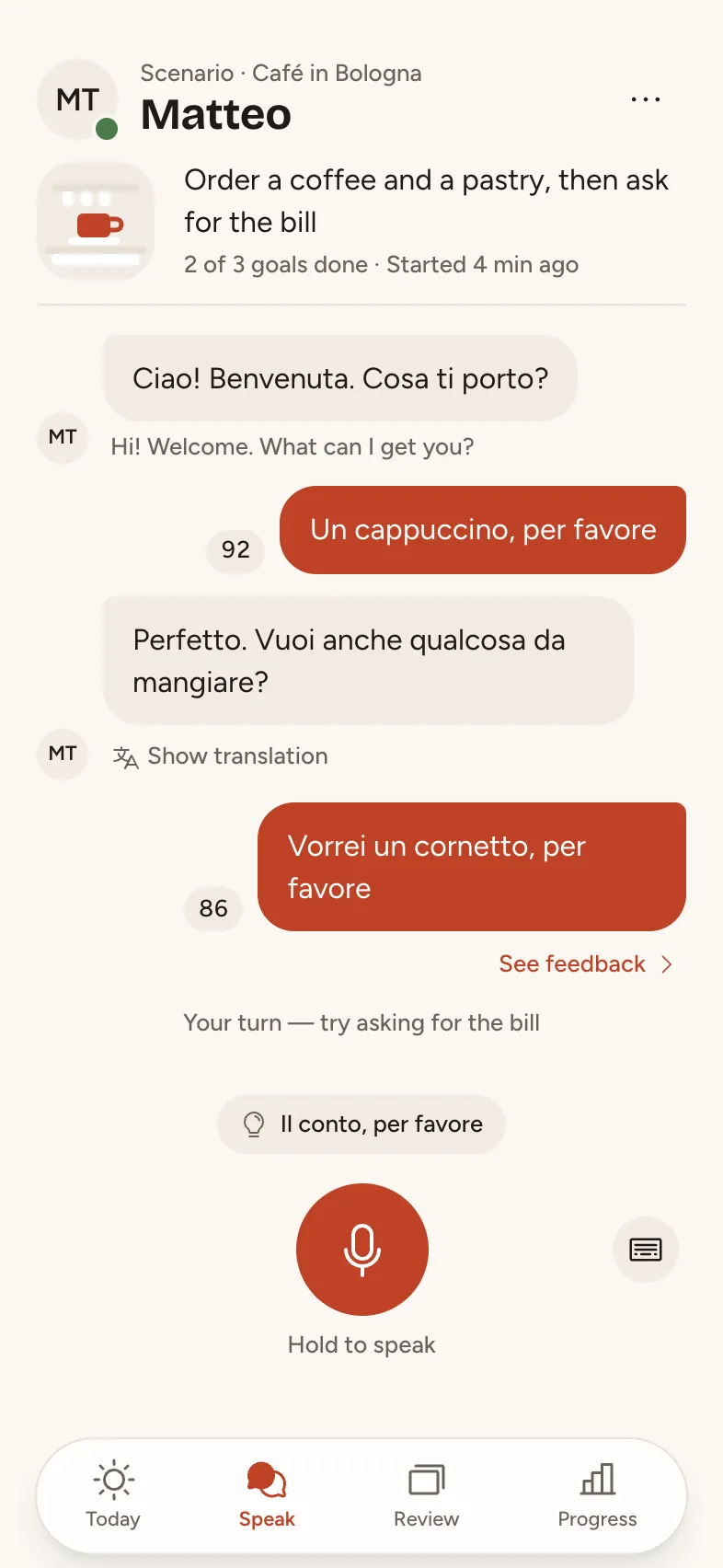
Speak: Live speaking practice with conversation partner Matteo in the 'Café in Bologna' scenario. Hannah has already exchanged a few turns; it is now her turn, with a hold-to-talk mic and a hint available.
SpeakLive speaking practice with conversation partner Matteo in the 'Café in Bologna' scenario. Hannah has already exchanged a few turns; it is now her turn, with a hold-to-talk mic and a hint available.
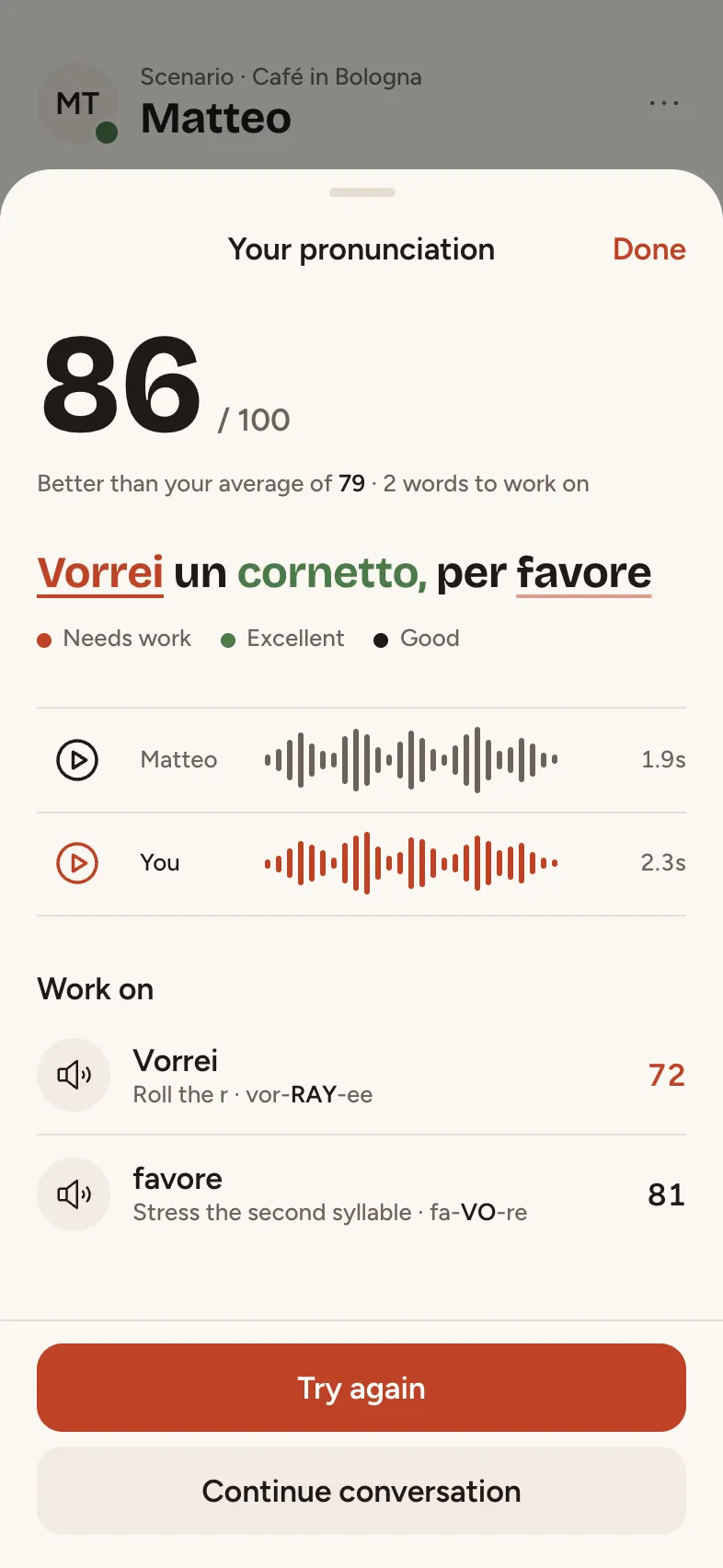
Pronunciation feedback: After Hannah's turn, Parla shows word-by-word pronunciation feedback for 'Vorrei un cornetto, per favore' with an overall score, the two words to work on, and a way to retry. Shown as a sheet over the conversation.
Pronunciation feedbackAfter Hannah's turn, Parla shows word-by-word pronunciation feedback for 'Vorrei un cornetto, per favore' with an overall score, the two words to work on, and a way to retry. Shown as a sheet over the conversation.
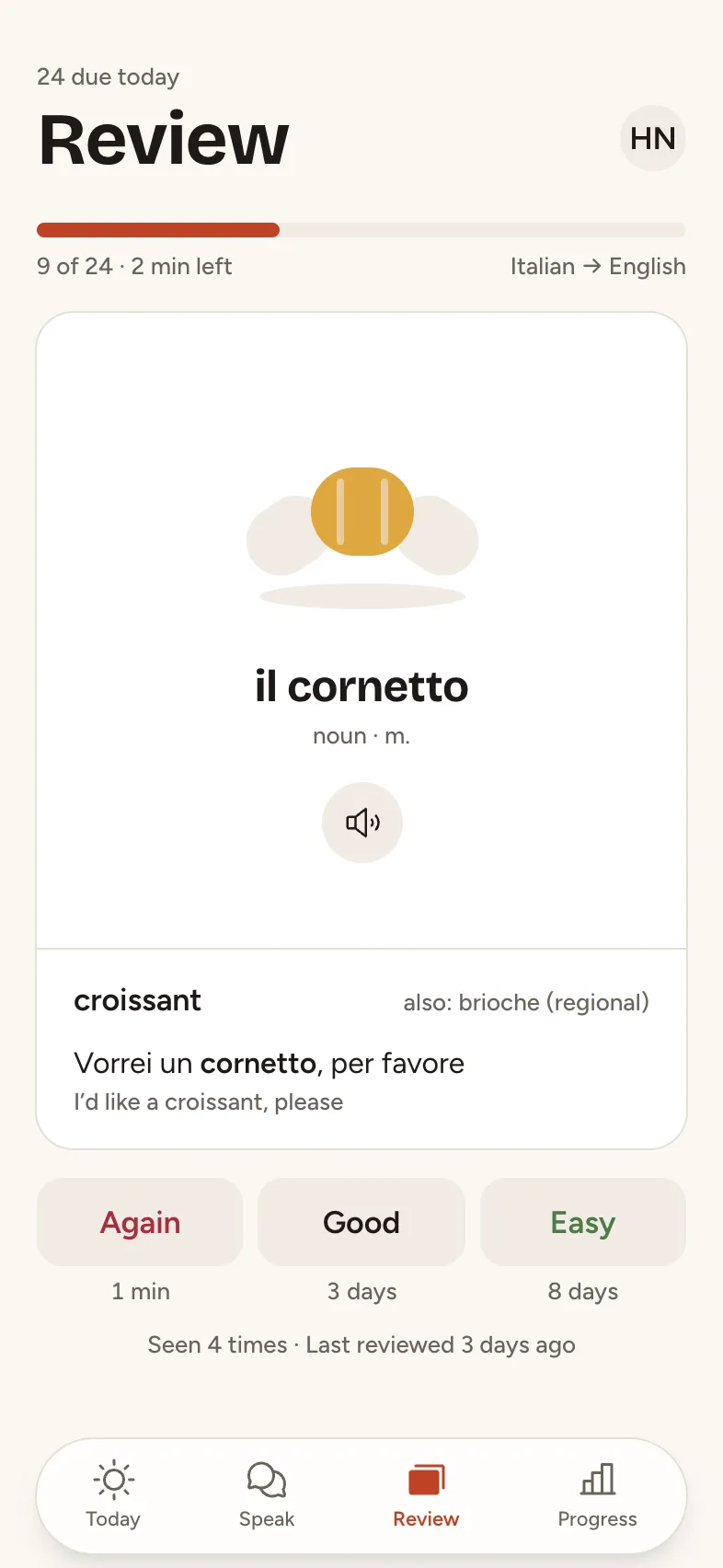
Review: Vocabulary review with spaced-repetition flashcards. Hannah is 9 cards into a 24-card session; the current card shows the Italian side, with the answer revealed below and self-grading buttons.
ReviewVocabulary review with spaced-repetition flashcards. Hannah is 9 cards into a 24-card session; the current card shows the Italian side, with the answer revealed below and self-grading buttons.
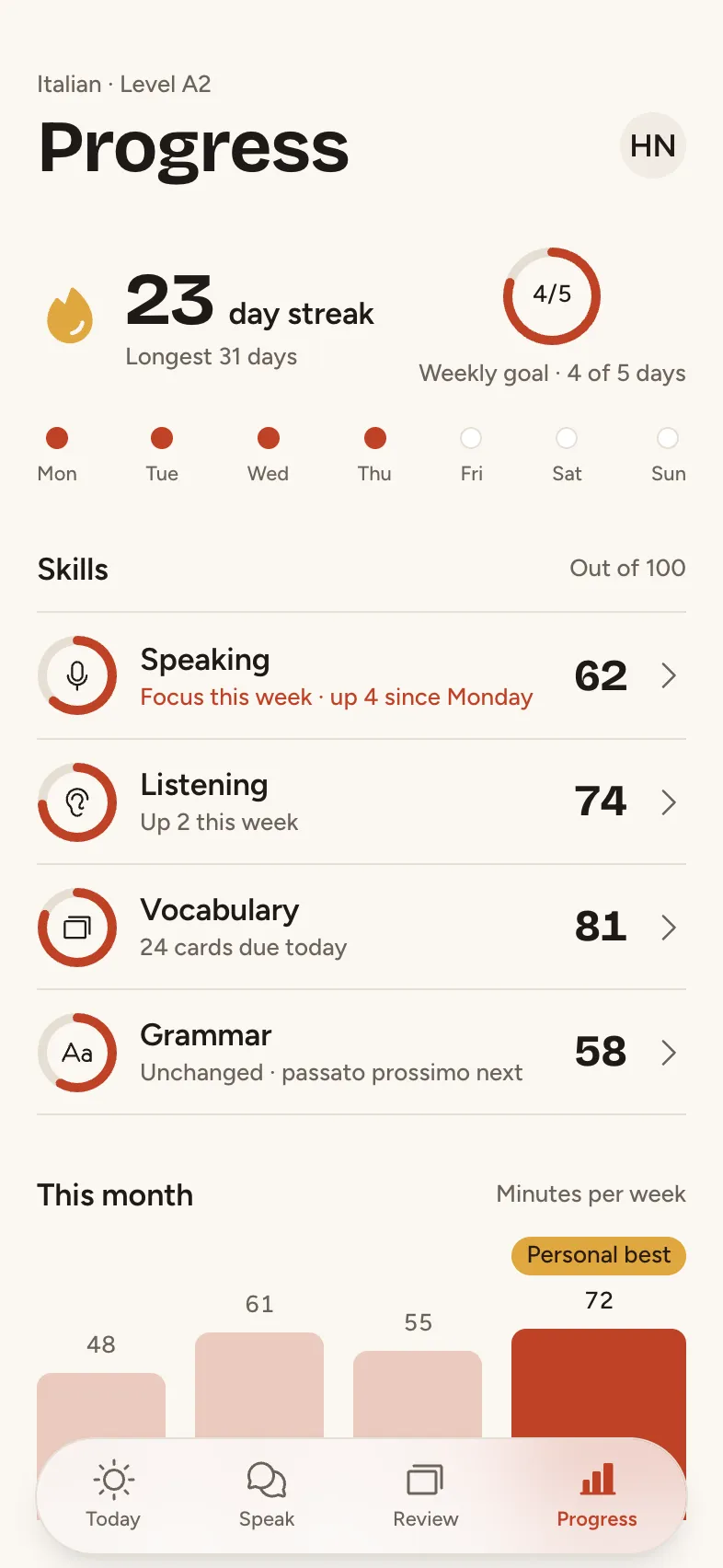
Progress: Hannah's progress by skill plus her streak and weekly goal, so she can see what is improving and what to practise next. Shown with speaking as the weakest skill and a new personal best this week.
ProgressHannah's progress by skill plus her streak and weekly goal, so she can see what is improving and what to practise next. Shown with speaking as the weakest skill and a new personal best this week.

The look

Background

#FAF7F2

Surface

#FFFFFF

Text

#1F1A16

Muted

#6B625A

Main

#BF4226

Accent

#E0A83F

Bricolage Grotesque for headings, Figtree for text, in light mode.

The brief it came from

“A language learning app built around real conversations: today's lesson, a speaking practice with a conversation partner and feedback on pronunciation, vocabulary review cards, progress by skill, and a streak with a weekly goal. Draw every image with shapes and icons: no photos, and initials instead of faces.”

Tappy planned and designed Parla from that one brief, at the Atelier level with design review on. The art direction it set itself, in short:

Parla is a warm, conversational Italian-learning app for adult learners who want to hold real conversations, not collect badges. The hero material is the conversation itself: speech bubbles, transcripts and word-by-word pronunciation feedback get the most space and the richest treatment, with big display numbers (streak, scores) as the second star.

Make it yours

Change words and photos

Double-click any text or photo on a screen to change it. It's free and takes no AI.

Restyle it

Swap colours and fonts in the Style panel, and every screen updates at once. Also free.

Ask for changes

Describe what you want in a sentence, for one screen or all of them, or add screens. This uses credits.

Take it further

Tap through it as a prototype, share a link for comments, or export to Figma, React Native or App Store images.

Questions

Is it free?

Yes. Opening a template takes a free account, and your copy costs nothing. Editing text, photos, colours and fonts is free too. Asking Tappy to redesign or add screens uses credits, like any app you make.

Is my copy mine to change?

Yes. It's saved in your apps like anything you design, and changing it never changes the Parla template.

What's in it?

6 screens: Today, Today's lesson, Speak, Pronunciation feedback, Review, Progress. They share one style, and the tab bar and buttons link the screens so you can tap through them.

Can I start from my own idea instead?

Yes. Describe your app in a sentence and Tappy designs it from scratch in its own style. You can also start from this template's brief and get a new design.

More templates

See all

Your app is one sentence away.

Start with a line. Tappy designs the rest.

Free to start. No card needed.